

Browse help topics
Your Word export template
Upload your firm's Word file so exports open as your own document, and read the token checklist that decides when it's ready.
This is the Word file itself: the styled .docx your exports get patched
into. It's a different thing from Proposal Templates, which define a
proposal's default section list. Organization Admin or Admin manages it from
Settings.
What you'll do
- Upload your firm's Word template
- Read the token checklist
- Activate the template, or fix what's blocking it
- Download a test export before relying on the template
- Review recent exports that used fallback styling
Upload your template
Open Export Template, under Settings, and drag your firm's .docx or
.dotx file onto the drop zone (or an already-active template shows
Replace template instead). Your template should contain tokens like
{{proposal_body}} written into the document wherever that content should
go; the full list of recognized tokens is below. Download the Download
token guide link at the top of the page for how to place tokens in Word.
The token checklist
After upload, EngiProse checks the file and shows a token checklist: which tokens it found, and which are missing.
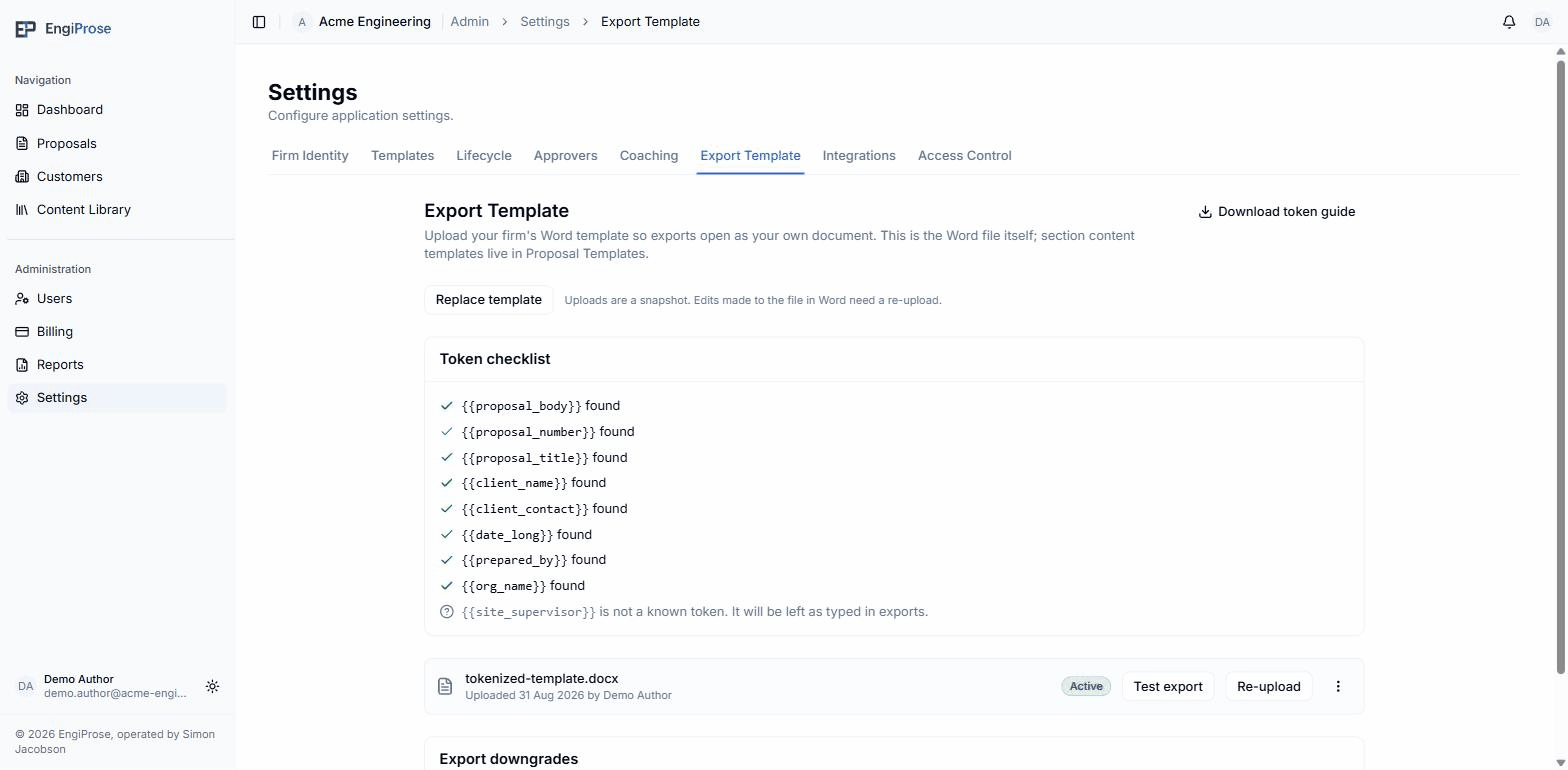
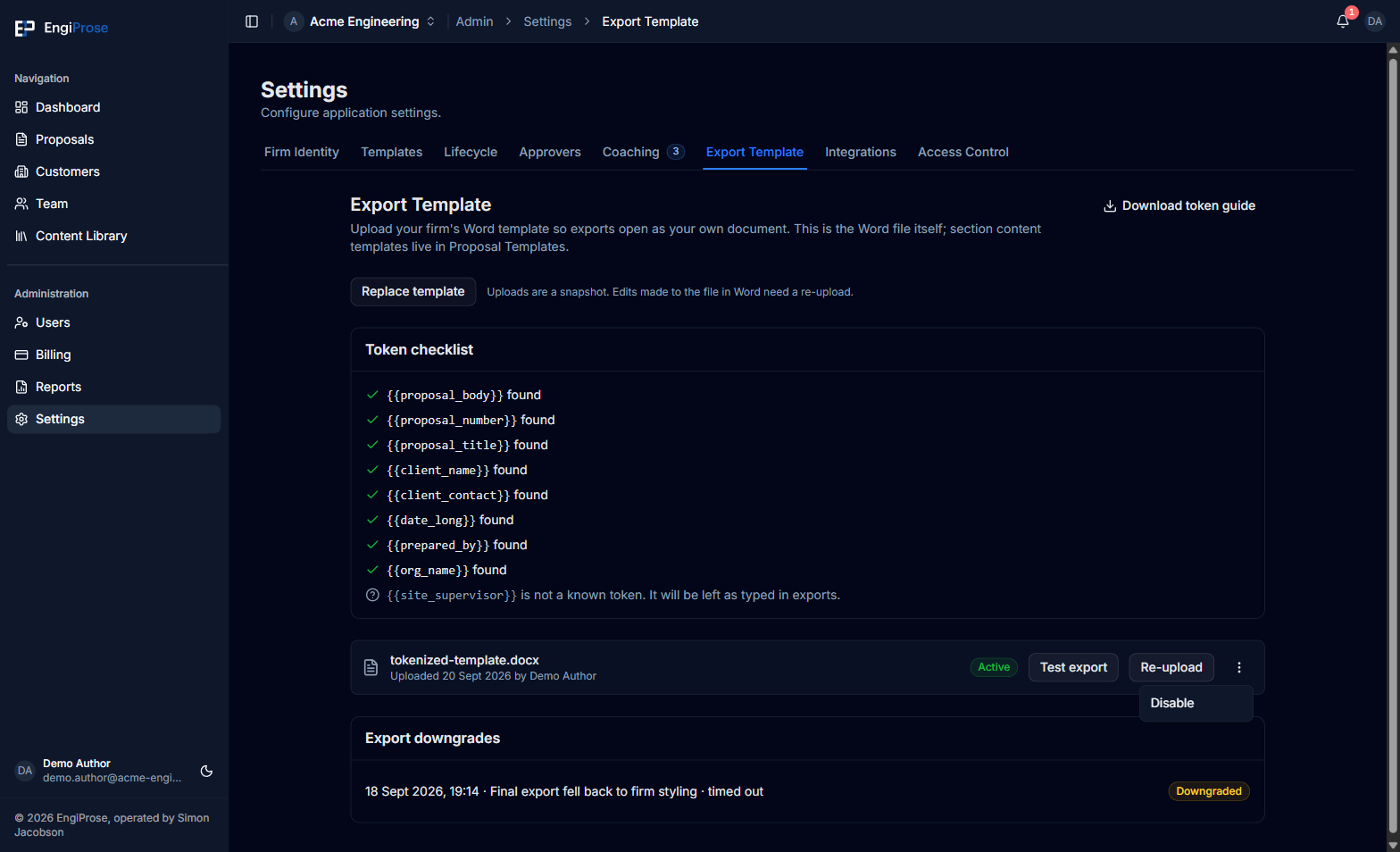
proposal_bodyis the only required token; the rest are optional- A found token, checked off with its placeholder spelling
- An unrecognized token is left as typed in exports, not an error
- The template row: Active, with Test export and Re-upload
Eight tokens are recognized: proposal_body, proposal_number,
proposal_title, client_name, client_contact, date_long,
prepared_by, and org_name. Of those, only {{proposal_body}} is
required; every other token is optional. A token your template uses that
isn't on this list is left exactly as typed when a proposal exports; it
isn't an error.
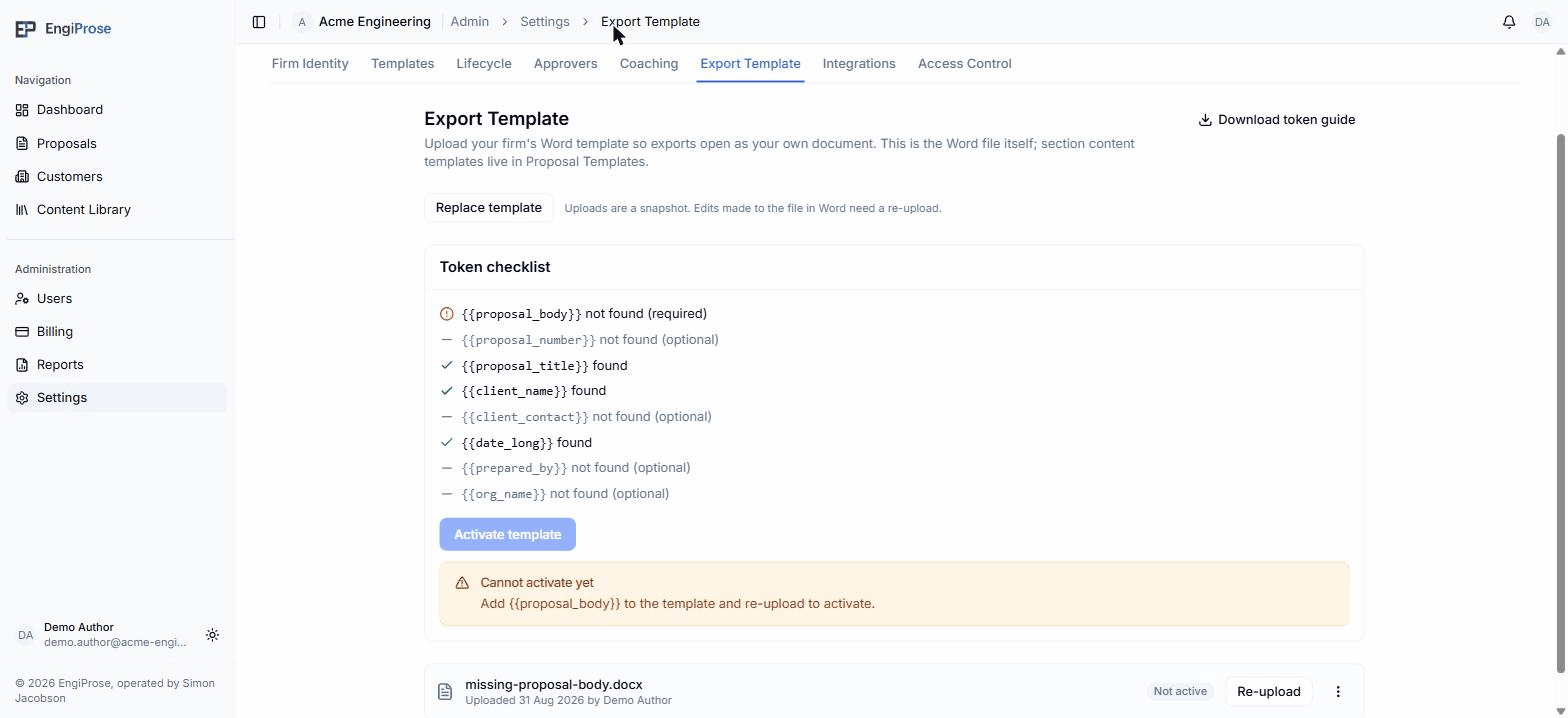
Cannot activate yet
If {{proposal_body}} isn't found, the template stores but won't activate:
Cannot activate yet
"Add {{proposal_body}} to the template and re-upload to activate."
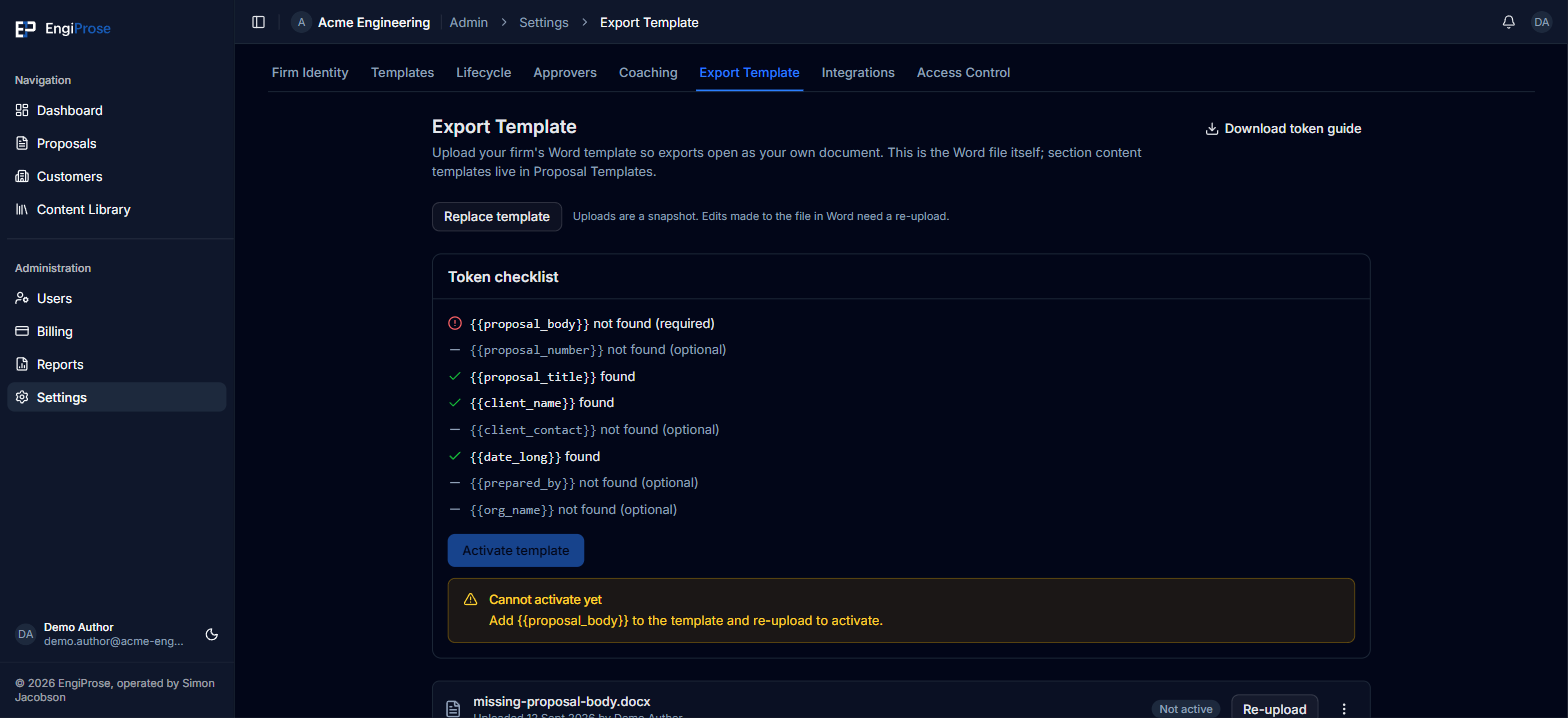
Add {{proposal_body}} to the document in Word, then use Replace
template to upload the corrected file and check it again.
Test the active template
Once the row is Active, click Test export. EngiProse fills the real template path with sample content and downloads a Word document without leaving Settings. Open it in Word and check the page size, margins, fonts, headings, header, footer, and token placement.
If the test cannot be filled, the template row names the stage that failed and explains whether ordinary exports will use firm styling or default styling until the problem is resolved. Re-upload the source file after correcting it, then test again.
Active, disabled, and styling-limited templates
- Active means the template is available to current exports.
- Disabled keeps the uploaded file but makes exports use default styling. Open the row menu and choose Enable when you want to use it again.
- Not active means the required body token is missing. Add it and re-upload.
- Styling limited means EngiProse could read enough of the file to keep it, but cannot use the firm's extracted style set. Test the template and follow the warning on the page.
The Export downgrades section records recent occasions where exports could not apply the full uploaded template document. It shows whether the export retained the uploaded document's styles and theme or used Word default styles instead. Use the newest entry together with Test export when diagnosing a template.
Replace or re-upload
"Uploads are a snapshot. Edits made to the file in Word need a re-upload."
Editing the .docx on your computer doesn't change what EngiProse has
stored; re-upload it every time you change the file.
Common questions
What happens if I never upload a template?
Exports still work: without an active template, EngiProse produces the document with its own default styling, not your firm's.
Can I have more than one export template?
No. An organization has exactly one export template. Replace template or Re-upload swaps the stored file in place, and the row shows Disabled until you click Activate template again.