

Browse help topics
Build your proposal sections
Shape the proposal structure, connect RFP requirements to sections, and give the AI focused drafting guidance.
The Sections step defines the structure the AI will follow when it drafts your proposal. Start with the sections supplied by your template, adjust the list for this opportunity, and connect each RFP requirement to the section that should answer it.
What you'll do
- Add, rename, reorder, or remove proposal sections
- Link each RFP requirement to the right section
- Review useful section suggestions from the RFP
- Add optional drafting guidance for individual sections
Shape the section list
If the selected proposal template contains sections, EngiProse adds them to the proposal automatically. Each template section is identified so you can see where the starting structure came from.
Use Add section when the proposal needs another part. Open a section's menu to rename or remove it, and drag sections into the order you want them to appear. At least one section is required before you can continue.
Removing a section sends its linked RFP requirements back to Unmatched requirements. Reassign those requirements before generating the draft.
Link requirements to sections
Requirement chips inside a section show which RFP instructions that section must address. Move a chip to another section by dragging it, or open the chip and use Move to section. Moving a chip changes its assignment; it does not duplicate the requirement.
The Unmatched requirements panel holds requirements that are not assigned to any section. Drag a chip from the panel onto a section, or open it and choose Move to section. You can also add a requirement that came from a conversation, email, or another source outside the uploaded RFP.
For details about match confidence and customer notes, see Review the extracted requirements and matches.
Requirements left unmatched are not included with any section when the AI drafts. Link each real requirement to a section or move non-requirement context to customer notes before continuing.
Ask AI to suggest a structure
Select Suggest sections from RFP when unmatched requirements may point to missing sections. EngiProse can recommend adding a new section or assigning requirements to a suitable section already in the proposal.
Review each suggestion separately:
- Add or accept it when the proposed placement fits your response plan.
- Dismiss it when your current structure is better.
Resolve the current suggestions before requesting another set. The suggestion action becomes unavailable when every requirement is already linked.
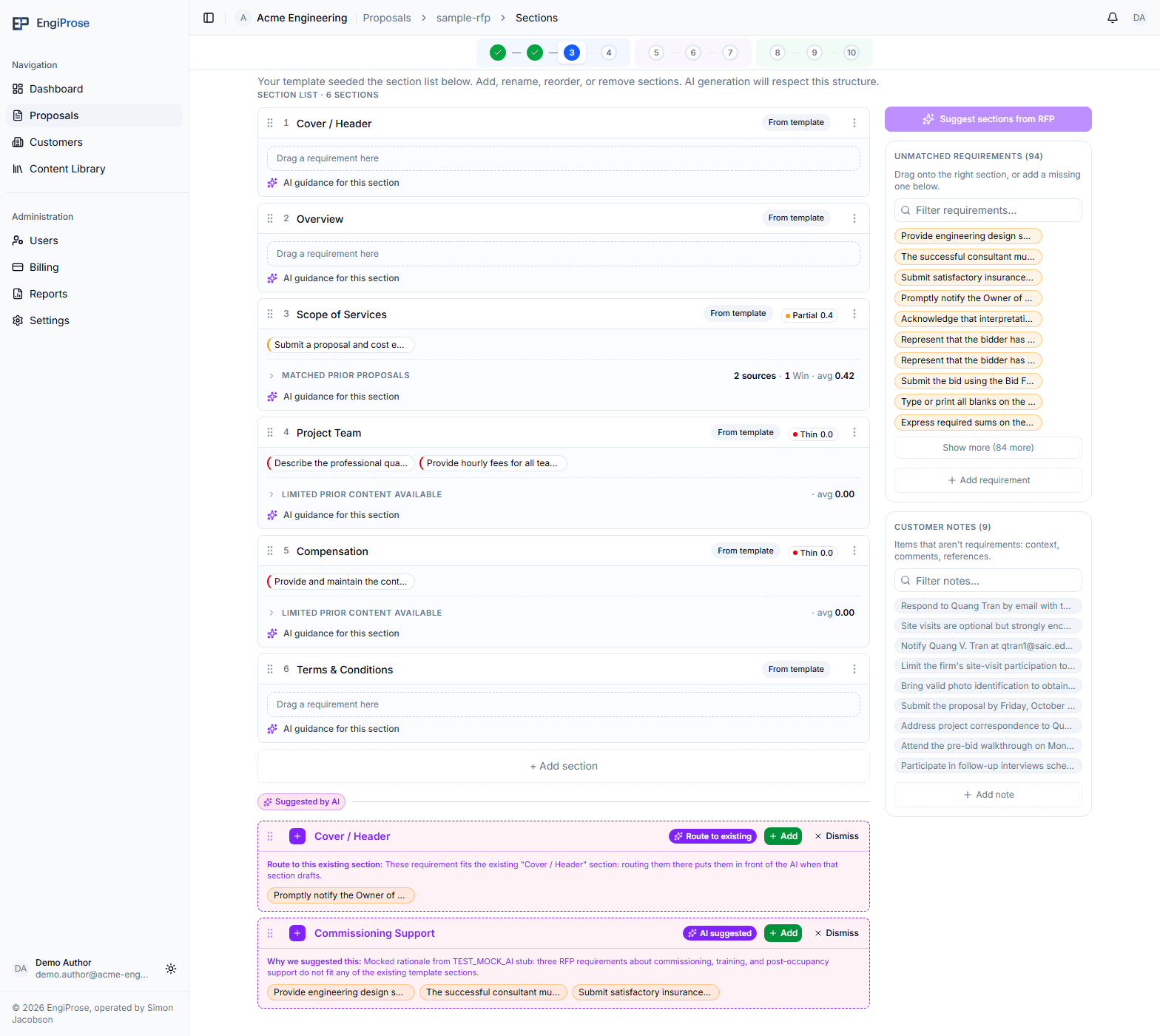
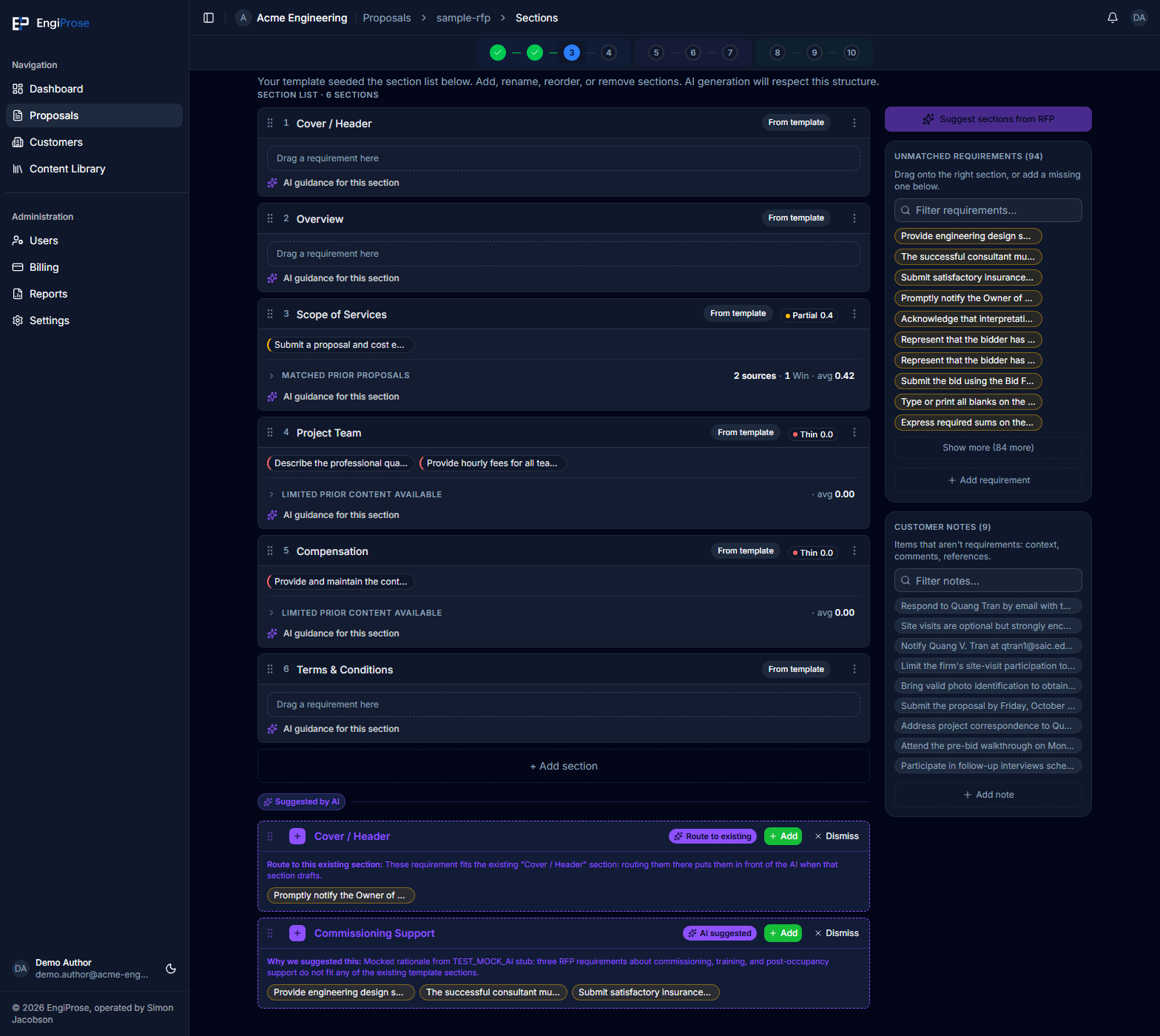
- Template sections, marked From template
- Requirement chips linked to their proposal sections
- Unmatched requirements: instructions not yet assigned
- Suggested by AI: proposed sections to review
Give a section drafting guidance
Expand AI guidance for this section to add instructions that apply only when EngiProse drafts that section. Focused guidance might name the intended emphasis, evidence to include, or a constraint the response should respect.
Template sections can begin with guidance from the proposal template. Editing it changes this proposal only. Use Reset to template default to discard your proposal-specific edit and restore the template guidance. A section you added yourself has no template default, so leaving its guidance blank tells the AI to draft from the available prior proposal content.
Guidance saves automatically. Keep it focused and preferably under 2,000 characters; the field accepts up to 4,000 characters.
Continue to the next step
After the structure and requirement assignments are ready, select Next. If Next is unavailable, add at least one proposal section.
Common questions
Why did sections appear before I added any?
They came from the proposal template selected on Project details. You can adapt the list for this proposal without changing the template itself.
What happens when I move a requirement?
The requirement is unlinked from its previous location and linked to the new section. Its text stays unchanged.
Why can't I request more AI section suggestions?
Either all requirements are already linked, a suggestion request is still running, or the current suggestions still need to be added or dismissed.