

Browse help topics
Roles and seats, Organization Admin, Admin, Member, and Viewer
What each of the four roles can do, and how a paid seat differs from a free Viewer.
Every person in an organization has one of four roles: Organization Admin, Admin, Member, or Viewer. This article explains what each can do, and why Viewer is the odd one out when it comes to seats.
What you'll do
- See what each of the four roles can do
- Understand which role is free, and which roles need a paid seat
- Know what a no-seats banner and the viewer-only refusal mean
The four roles
- Organization Admin can do everything Admin can, plus manage billing, users, and access control. It's the only role that can invite people, change roles, or approve support access.
- Admin can manage the firm's settings, templates, and content library, and can create and edit proposals.
- Member (an Organization Member) can create and edit proposals, but can't reach the admin settings.
- Viewer is read-only. A Viewer can see proposals and the team, but can't create or edit anything.
Every role except Viewer is a paying, editing role: Organization Admin, Admin, and Member all edit proposal content. Viewer is the only role in an organization that does not.
Seats
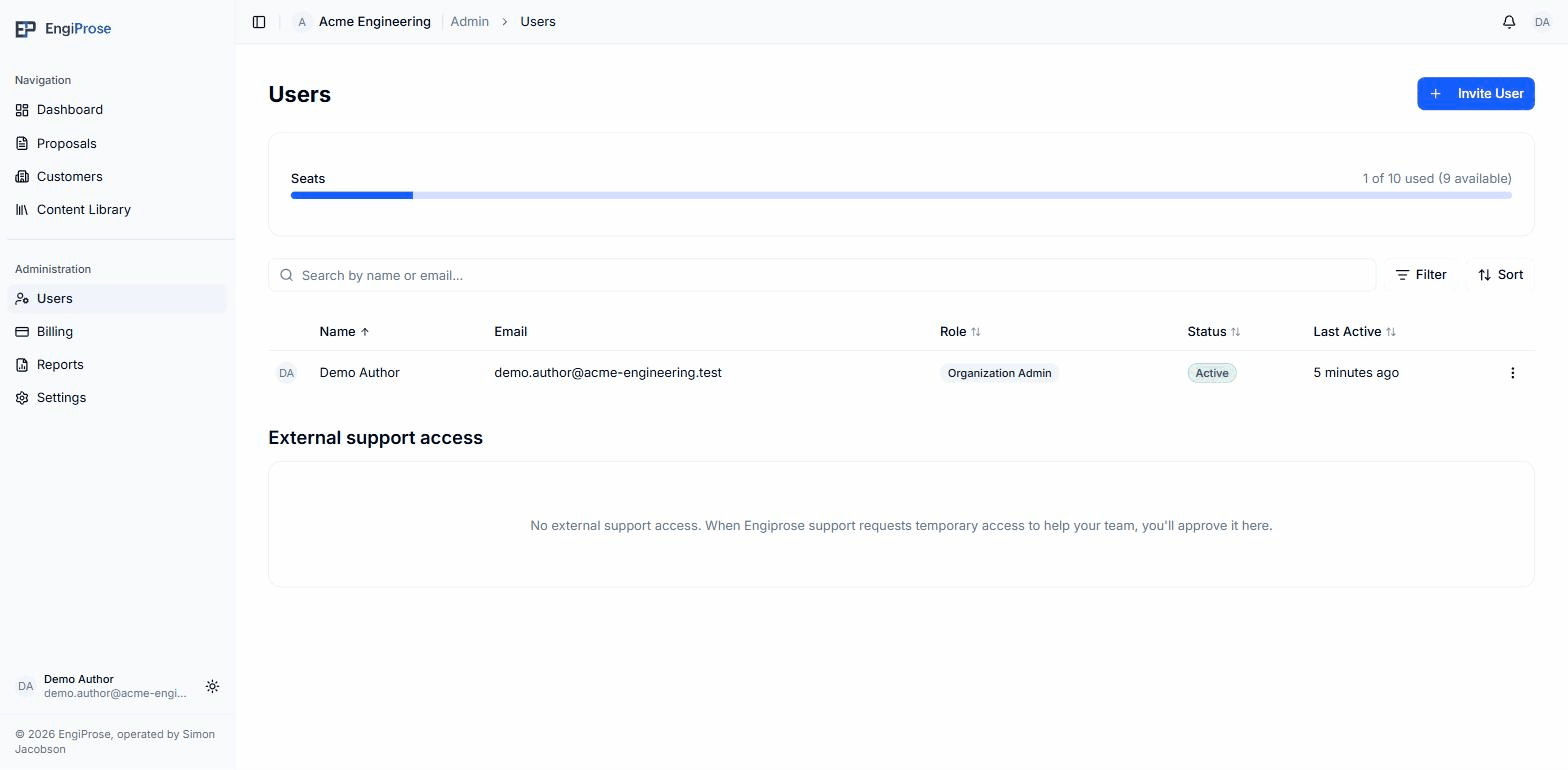
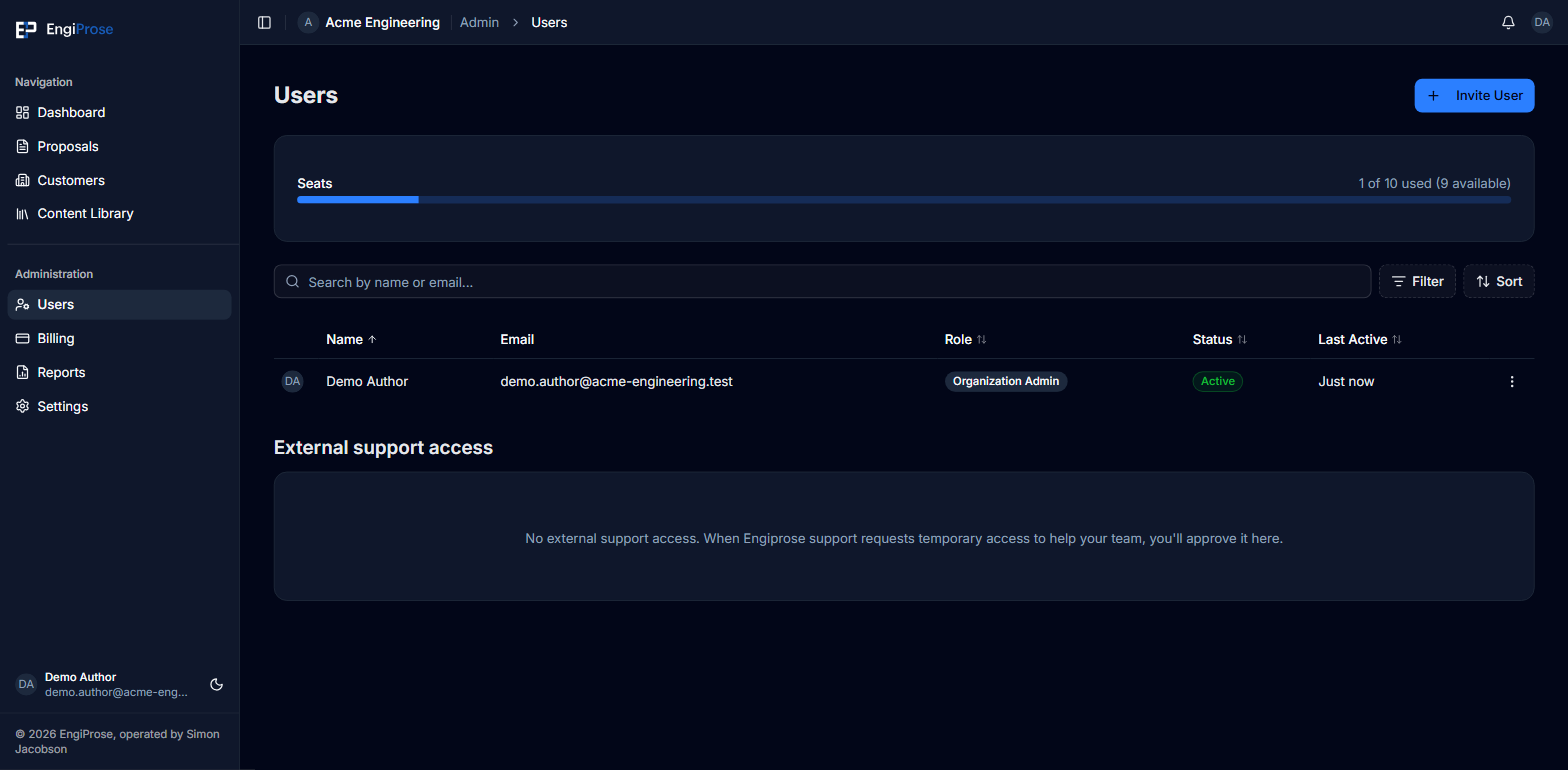
Each of the three editing roles uses one of your firm's paid seats. Viewer is free and does not count against them.
If your firm is at its seat limit, inviting another editing role shows:
"No seats available. Deactivate another user or contact your administrator to purchase more seats."
Deactivating a user frees their seat. Only an Organization Admin can invite, deactivate, or change roles, from Users in the sidebar.
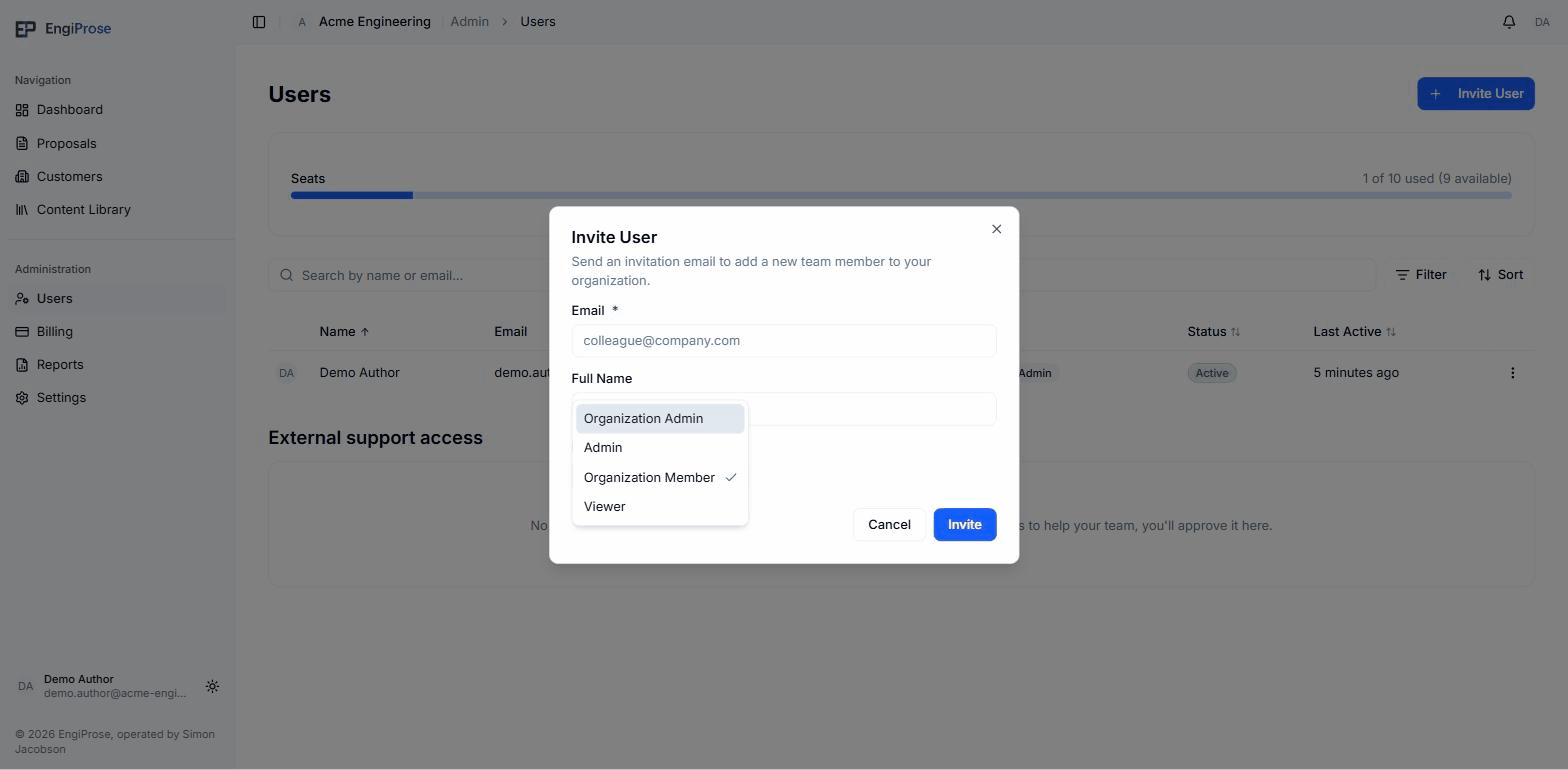
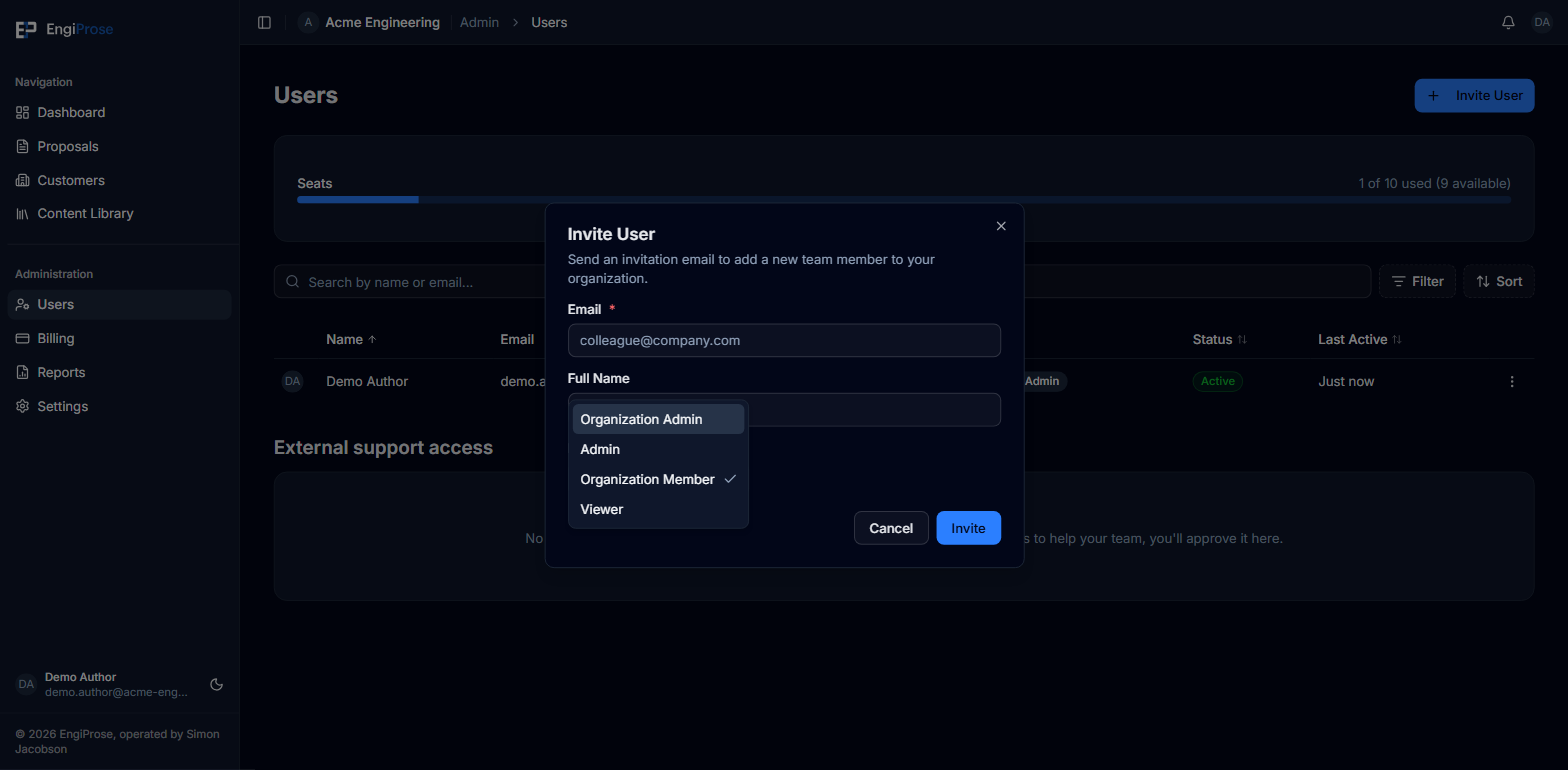
- Organization Admin, Admin: the two editing, admin-capable roles
- Organization Member: the everyday editing role, shown as "Member" in lists
- Viewer: read-only, and free
The invite dialog's role picker calls the everyday role "Organization Member", while the Users list and every other role display shows the same role as "Member". They're the same role under two labels.
What a Viewer can't do
A Viewer who opens New Proposal sees an honest refusal instead of the upload step: "You can't create proposals", with "Your role does not include creating proposals in this organization." underneath. This applies to every Viewer, including someone who has been given temporary EngiProse support access, since that access also resolves to the Viewer role.
Common questions
Can a Viewer be promoted to an editing role later?
Yes, an Organization Admin can change anyone's role from the Users page. Note that promoting a Viewer to an editing role uses up a seat, so it's blocked if your firm is already at its seat limit.
Is Admin the same as Organization Admin?
No. Admin can manage settings, templates, and content, and create and edit proposals. Only Organization Admin can also manage users, billing, and access control.